
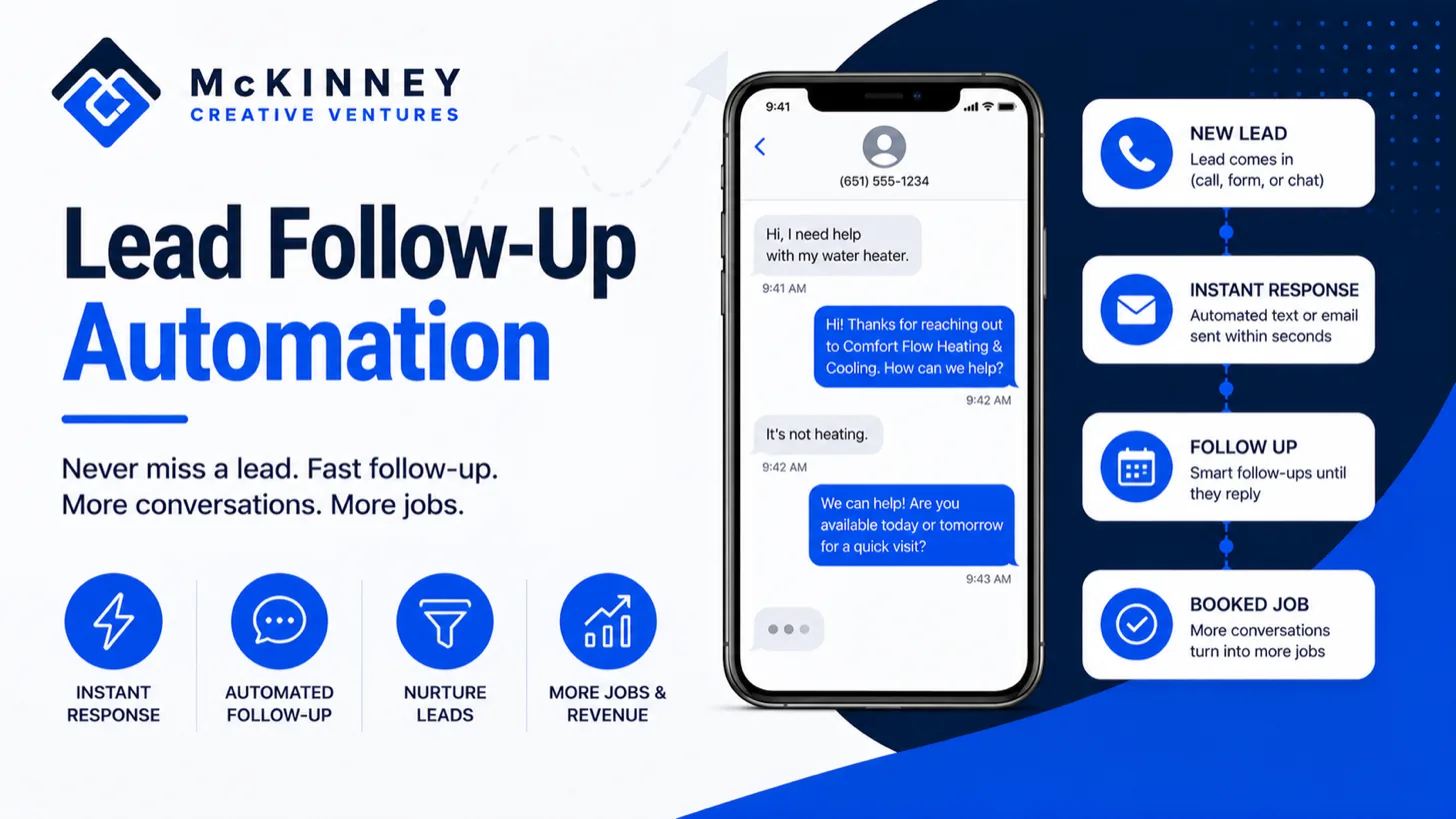
Lead follow-up automation is a set of timed messages and tasks that starts when a lead arrives and stops the moment that person replies, books or opts out. This guide lays out one complete sequence, step by step, with the delay, the channel and a sample message for each step, for service businesses in the Twin Cities East Metro, the St. Croix Valley and western Wisconsin.
The first reply, the instant text or email that acknowledges a new lead, is covered in our guide to speed to lead. This post picks up after it, with what happens when the lead does not answer, when a quote goes quiet and when someone is not ready to buy yet. Treat the sequence as an example to adapt, with timing taken from your own jobs.
Lead follow-up automation starts where speed to lead stops
A cold lead is a person who asked for help and then went quiet. In our experience, that is often not a no. The person may be comparing companies or waiting on a spouse, a landlord or a payday. The sequence keeps a useful conversation open without anyone on your staff having to remember it.
Speed still matters at the front of the sequence. Harvard Business Review's March 2011 article "The Short Life of Online Sales Leads" reports, from a study of 1.25 million sales leads, that firms that tried to contact a lead within an hour were nearly seven times as likely to qualify it as firms that tried even an hour later. The data is more than 15 years old and comes from companies in many industries, so treat it as a rough direction. Our speed to lead guide covers the first five minutes.
Three triggers feed it. A form submission enters at step one. A missed call enters after your missed-call text, which our guide to missed call text back covers. A quote sent enters a separate branch, described below.
The follow-up sequence, step by step
The delays in the table are an example for a heating and cooling company, and a roofer or a lawn company would stretch or shorten them.
Scroll to see all columns
| Step | When | Channel | Job of the step | Stops when |
|---|---|---|---|---|
| 1. Call attempt | Same business day, as soon as a person is free | Task for a person, then a call | A human tries to reach the lead | The lead is reached or books |
| 2. Text | Same day, if the call did not connect | Text | Names the job and asks one question | Reply, booking or opt-out |
| 3. Email | Next morning | Explains what a visit involves and how to book | Reply, booking or unsubscribe | |
| 4. Text | Day 3 | Text | One question plus a booking link | Reply, booking or opt-out |
| 5. Second call attempt | Day 5 | Task for a person, then a call | A second human attempt | The lead is reached or books |
| 6. Email | Day 8 | Offers an estimate window and links to reviews | Reply, booking or unsubscribe | |
| 7. Closing the loop | Day 14 | Text or email | Asks whether to keep in touch | Any answer |
Here is how the example reads with an invented business, Marlowick Furnace and Air, a made-up heating company in the St. Croix Valley. The messages are illustrations to adapt, and they should sound like the person who will answer the reply.
Step 2: the first text after an unanswered call
"Hi Pat, this is Jo at Marlowick Furnace and Air. I tried you about your furnace. Is the heat out completely, or is it running badly? Reply here and I will get you on the schedule. Reply STOP to opt out."
It names the job, asks one easy question and gives a way out.
Step 3: the next-morning email
The email carries what a text cannot: what a visit involves, what to have ready and a booking link, written like a note from one person. Here is an example to adapt.
Subject: Your furnace, and what a visit involves. Body: Hi Pat, this is Jo at Marlowick Furnace and Air following up on your furnace call. A visit takes about an hour. It helps to have the furnace's age and any error code on the control board ready. You can pick a time here: [booking link]. Marlowick Furnace and Air, [street address]. This is a promotional message. Unsubscribe: [link].
Step 4: the day 3 text
"Hi Pat, Jo at Marlowick again. I do not want your furnace question to fall through. Would Thursday morning or Friday afternoon work for a look? Reply STOP to opt out."
Steps 5 and 6: a person again, then proof
The system creates a task for a person to call on day 5, because in our experience some people answer a voice and ignore a text. The day 8 email links to your reviews page, which should show only reviews that real customers wrote. An example:
Subject: Estimate windows this week. Body: Hi Pat, Jo at Marlowick Furnace and Air again. We have estimate windows open Thursday morning and Friday afternoon. Customer reviews are at [reviews link]. Pick a time here: [booking link]. Marlowick Furnace and Air, [street address]. This is a promotional message. Unsubscribe: [link].
Step 7: closing the loop
"Hi Pat, last note from Marlowick. If your furnace is sorted or you went another way, no problem. Reply KEEP and I will check in around tune-up time, or STOP and I will leave you alone."
Stop rules, stale quotes and the long nurture
A sequence that cannot stop can do real harm. Set three stop rules before the first message is written. A reply stops the automation and hands the conversation to a person. A booking stops it and moves the lead to a booked stage. An opt-out stops every message on that channel at once.
The stale quote branch
A sent quote is a different moment, because the customer has a price and is deciding. The branch starts when the opportunity moves to a quote-sent stage.
- Day 2, text: "Hi Pat, any questions on the furnace quote? Happy to walk through it by phone."
- Day 5, email: answers to the usual questions after a quote.
- Day 10, call task: a person calls and asks what is holding things up.
- Day 21, text: "Hi Pat, still thinking about the furnace? If timing changed, tell me and I will check back when it suits you."
An example of the day 5 quote email: Subject: Questions about your furnace quote. Body: Hi Pat, Jo at Marlowick Furnace and Air. People often ask what a quote includes, how the warranty works and how scheduling goes. Reply with yours and I will answer them. Marlowick Furnace and Air, [street address]. This is a promotional message. Unsubscribe: [link].
After the last step, mark the lead lost and record a reason, such as price, timing or another company.
The long nurture for people who are not ready
Some leads say "not now." Ask when to check back, store the date on the contact, and wait until that date. After that, send a few useful emails a year that fit the trade. In our experience in Minnesota, furnace customers think about tune-ups in the fall, and air conditioning customers in the spring, so those are natural moments to check in.
Texting and email rules to check first
These are paraphrases of agency pages as of November 2026, given as general information and not legal advice. Your attorney should review your templates.
Email. The FTC's CAN-SPAM compliance guide says the law covers commercial messages, meaning email whose primary purpose is advertising or promoting a commercial product or service, and makes no exception for business-to-business email. Its requirements include accurate header information, honest subject lines, identifying the message as an ad, a valid physical postal address and a clear way to opt out, which you must honor within 10 business days. A message whose only content falls into one of the guide's transactional or relationship categories, such as confirming a transaction the recipient already agreed to, still may not carry false or misleading routing information but is otherwise exempt from most provisions, and the guide says to read those categories narrowly. Ask your attorney which side each of your templates falls on.
Texts. The FCC's consumer guide on robocalls and texts, updated February 27, 2026, says FCC rules require oral or written consent before an autodialed or prerecorded call or text to a wireless number, that commercial texts require written consent, and that a person may opt out at any time in any reasonable manner. Keep a record of how and when each lead gave their number. Wisconsin has its own rule. The Department of Agriculture, Trade and Consumer Protection says on its telemarketer registration page that a company must register as a telephone solicitor if it makes telephone solicitations to residential telephone customers in Wisconsin, and it defines a telephone solicitation as an unrequested call or text message to an individual's personal telephone number to encourage a purchase. Whether a follow-up to a lead who filled out your form counts as requested is a question for your attorney.
Hours. The sample timing gives days and parts of the day, not clock times. The hour you send at is a business choice, and federal and state rules set calling hours for some kinds of calls, so ask your attorney which hours rules reach your calls and texts.
Build the sequence in GoHighLevel
We build CRM and automation work on GoHighLevel, so we have an interest in this section. Another CRM can run the same sequence if it offers timed waits and stop conditions.
- Trigger. The Form Submitted trigger starts a workflow when a form is submitted, with a Form Is filter to choose the form.
- Timing. The Wait action can hold a contact for a set period in seconds, minutes, hours or days, and an Advance Window can resume the workflow between chosen hours. It can also hold until the contact replies, with a timeout.
- Stop on a reply. The Customer Replied trigger can be filtered to replies to a specific workflow. A second workflow on that trigger can run the Remove from Workflow action, which can remove a contact from another named workflow, and the same workflow can send an internal notification so a person picks up the conversation.
- Stop on a booking. In the example design here, a booked appointment moves the opportunity to a booked stage, and the Opportunity Changed trigger, which HighLevel says detects changes such as stage movements, removes the contact from the sequence.
- Opt-outs. HighLevel's Do Not Disturb page says SMS DND turns on when a contact replies with an opt-out keyword such as STOP or UNSUBSCRIBE, and email DND turns on when a contact unsubscribes. HighLevel adds that certain transactional emails, such as invoices and calendar notifications, can bypass email DND. Test it yourself with your own phone and email before the sequence goes live.
Our CRM and automation work includes follow-up that runs automatically and pauses when a person replies, and our comparison of GoHighLevel, HubSpot and Zoho says where we think each platform fits.
If you want this sequence built for your business, contact McKinney Creative Ventures about GoHighLevel built around how you actually work.